02Student takes the test
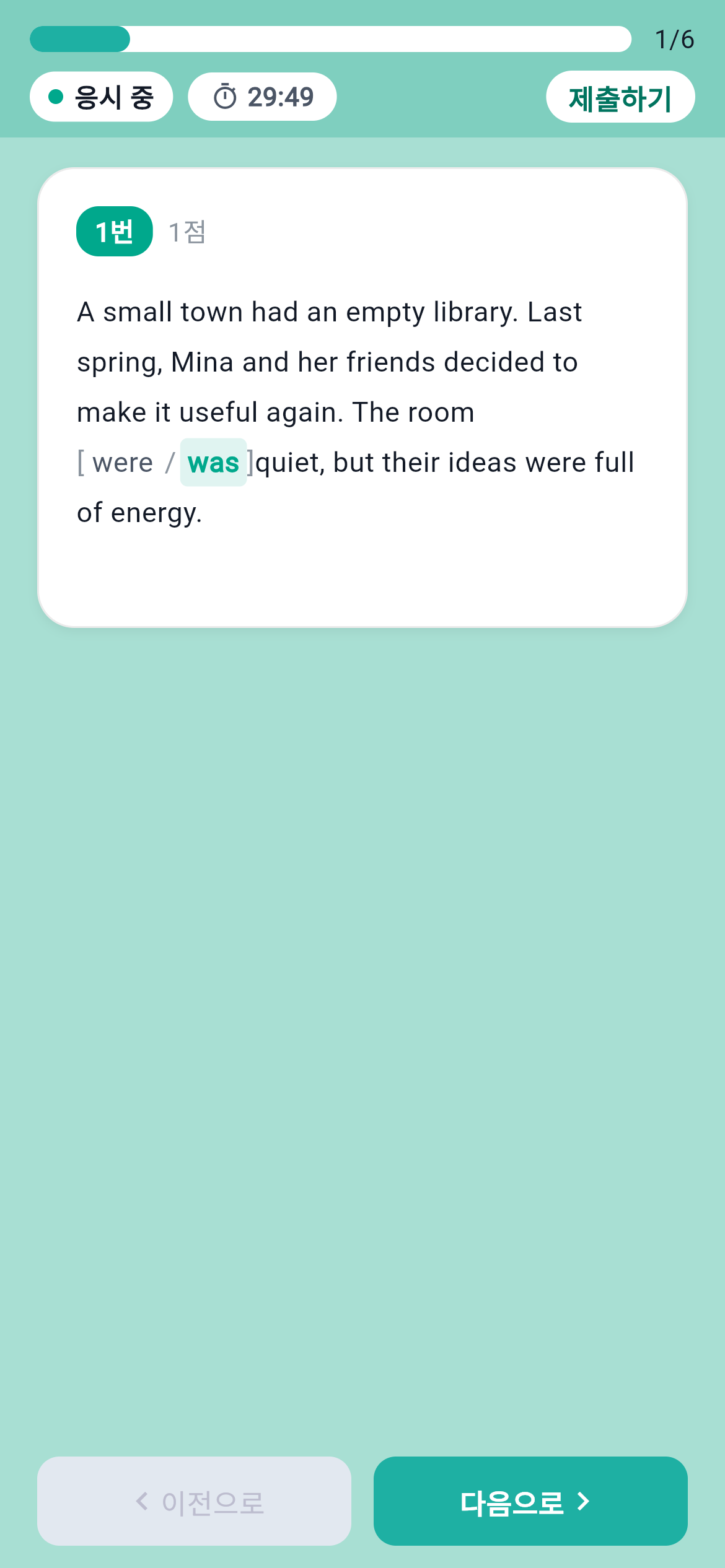
Select an expression in the passage and submit an answer.
 Enlarge screen
Teachers upload HWPX question files and students take exams in the app. Results, review and teachers’ attempt records are connected in one workflow.
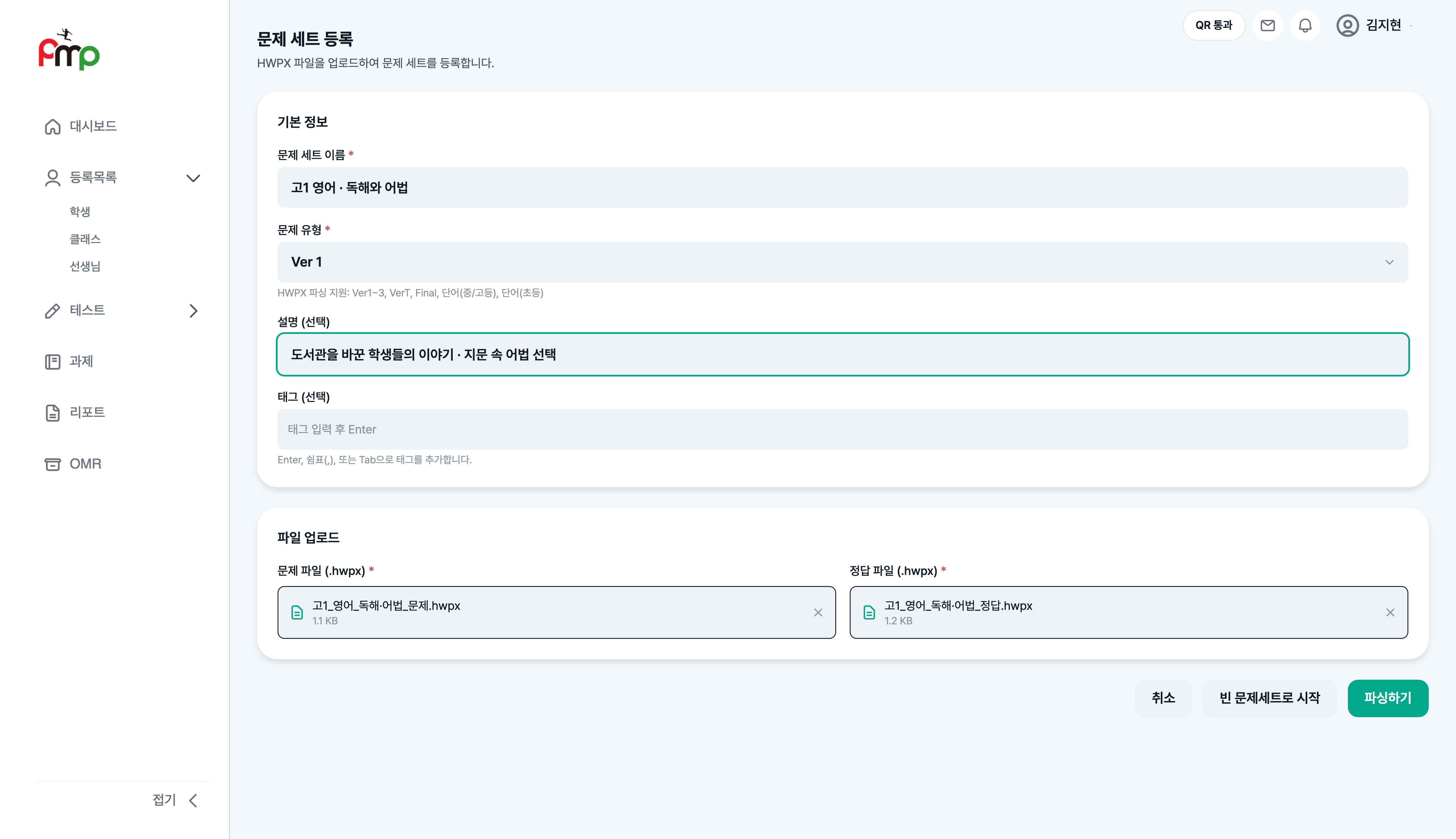
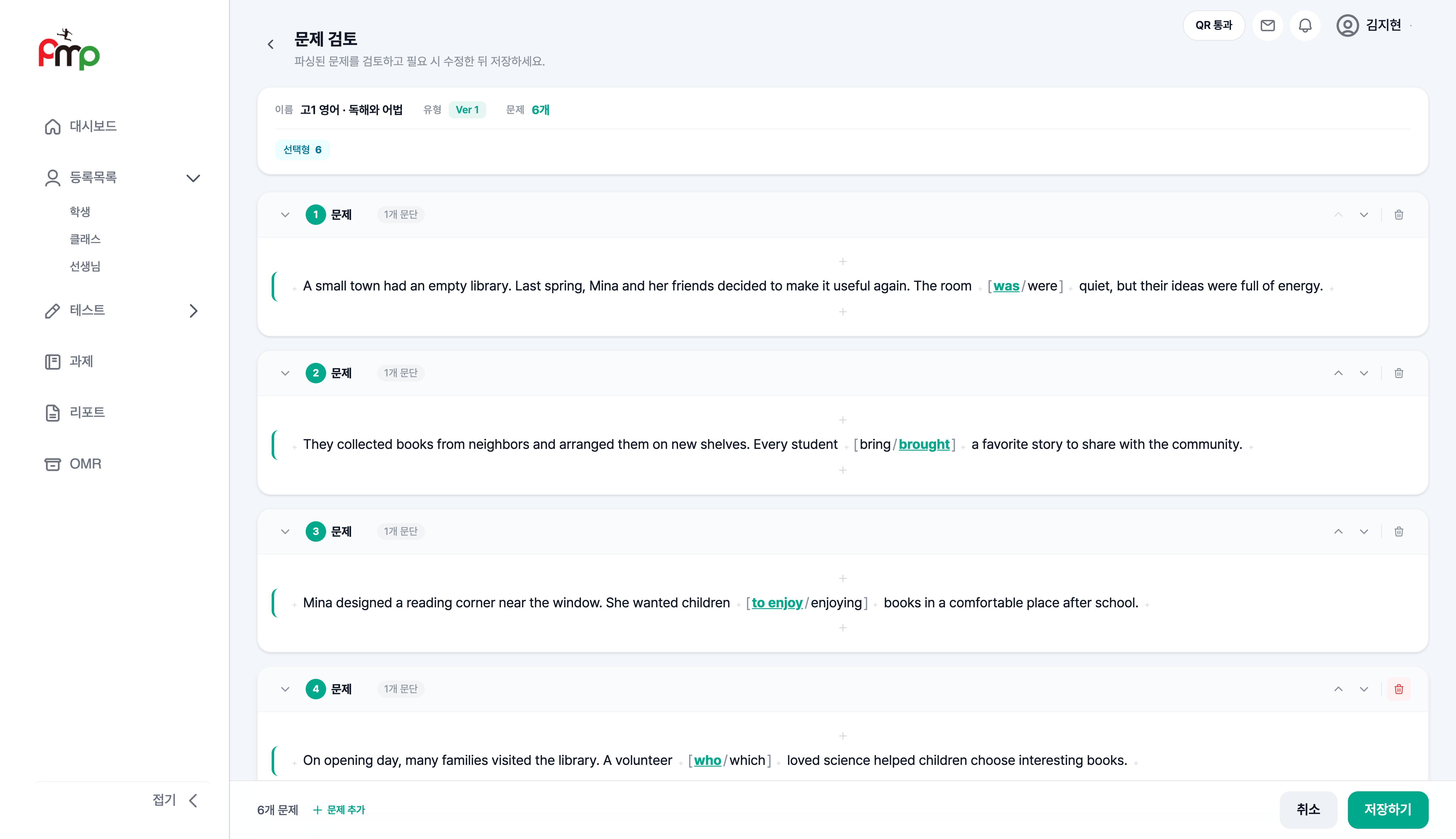
Teachers upload question and answer sheets as HWPX files, review the imported content, save a question set and assign tests by class.
The five steps below follow the same sample English reading and grammar test. The real product is shown with fictional names, questions and scores; student screens show the Flutter app running on the web.
 Enlarge screen
 Enlarge screen
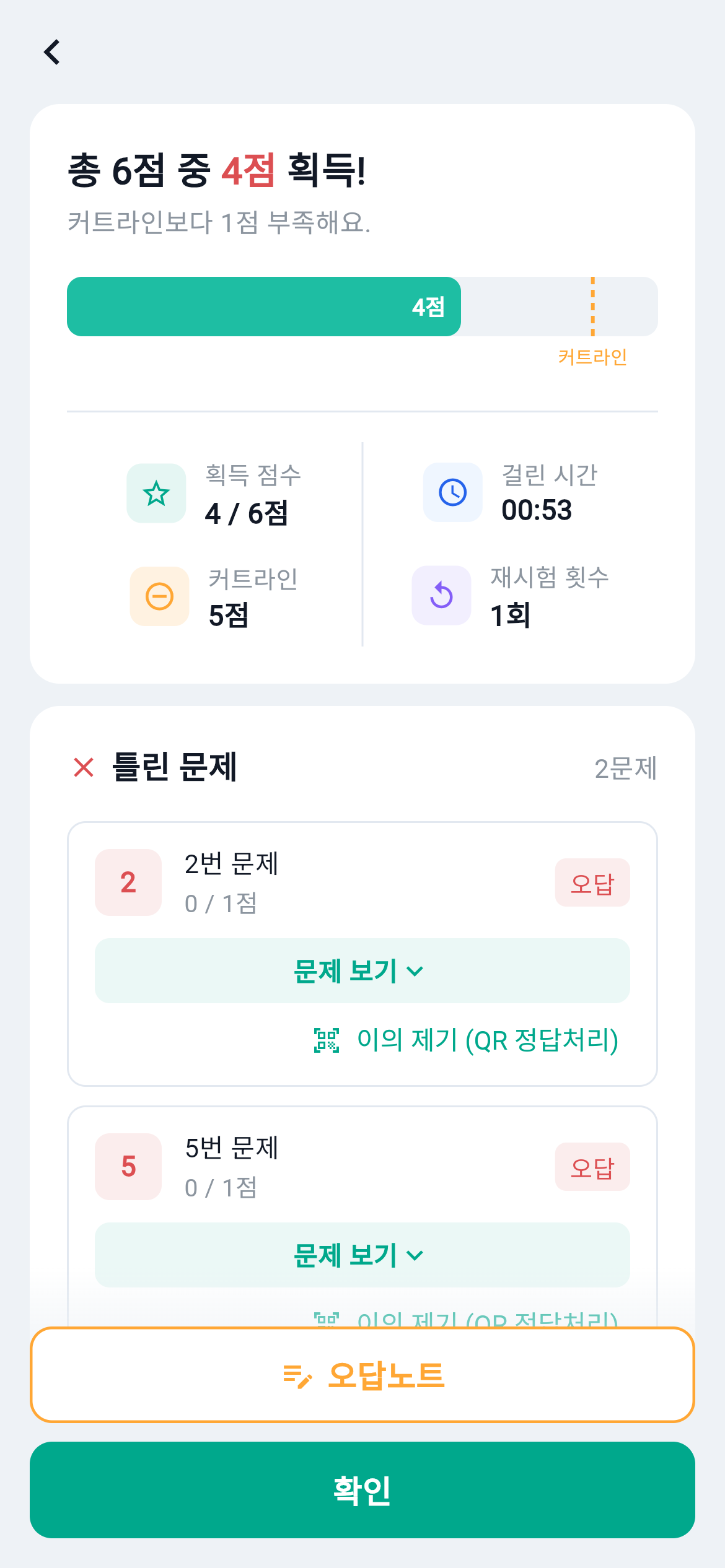
The teacher’s questions appear in the student app. After submitting, students see their results, retry incorrect answers and record notes.
Select an expression in the passage and submit an answer.
Enlarge screenFour of six answers are correct. Review questions 2 and 5.
 Enlarge screen
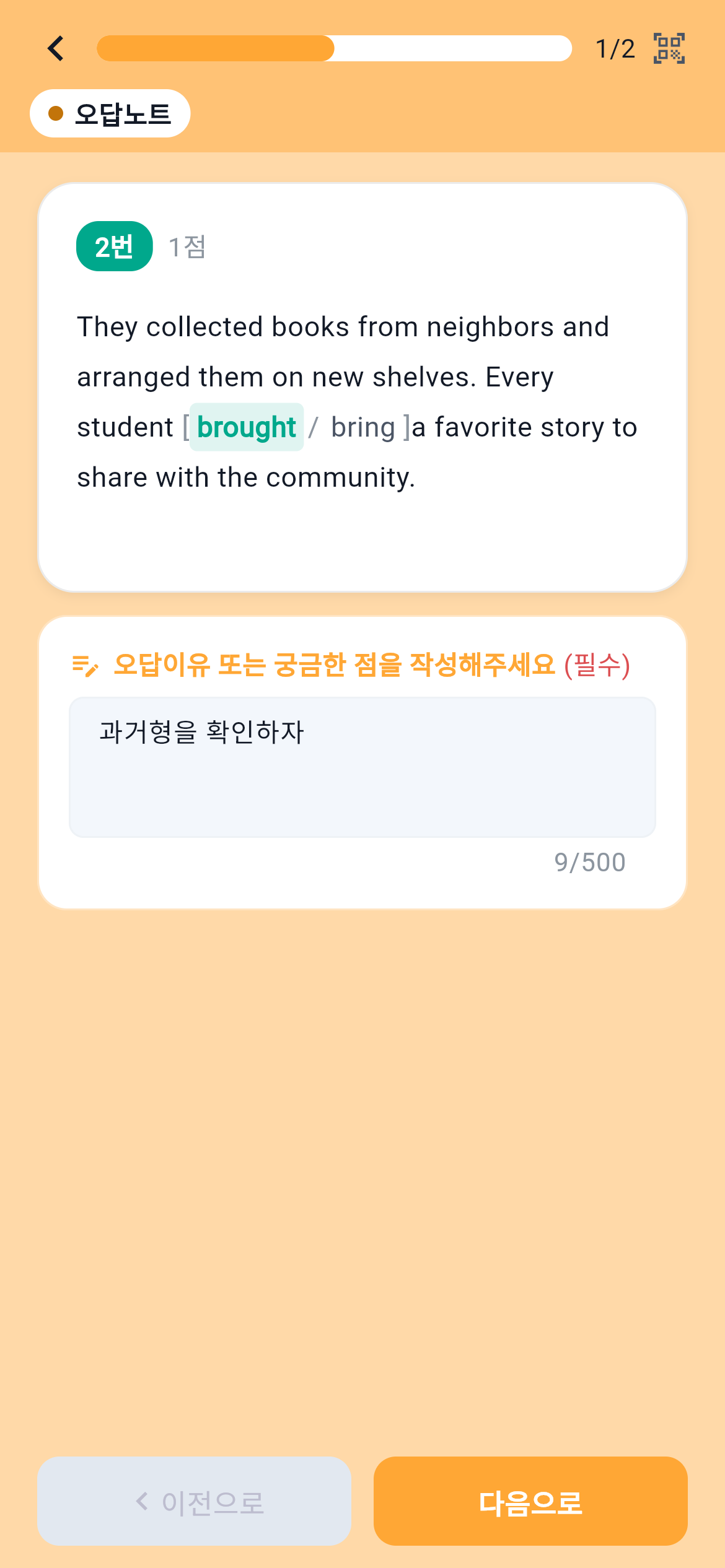
Retry an incorrect answer and note what was missed.
 Enlarge screen
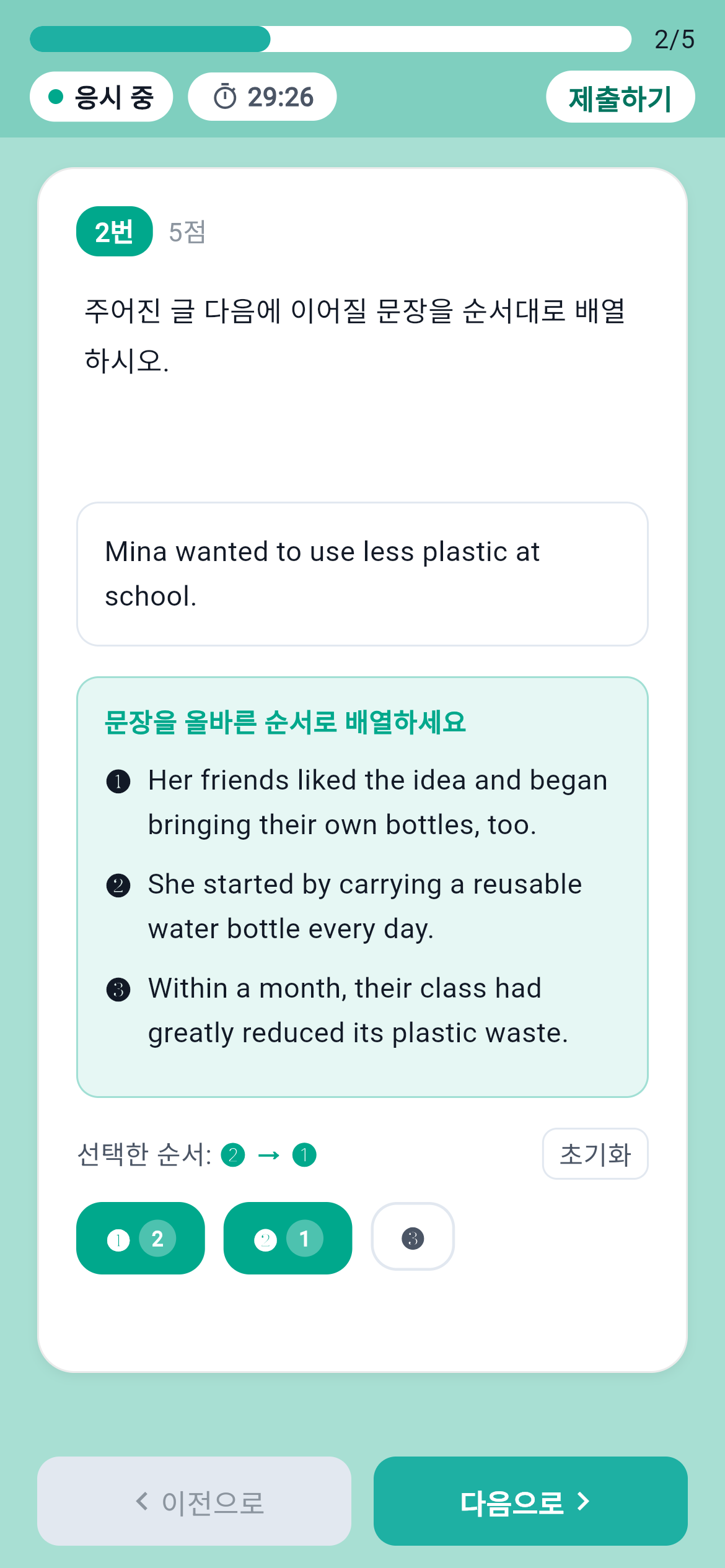
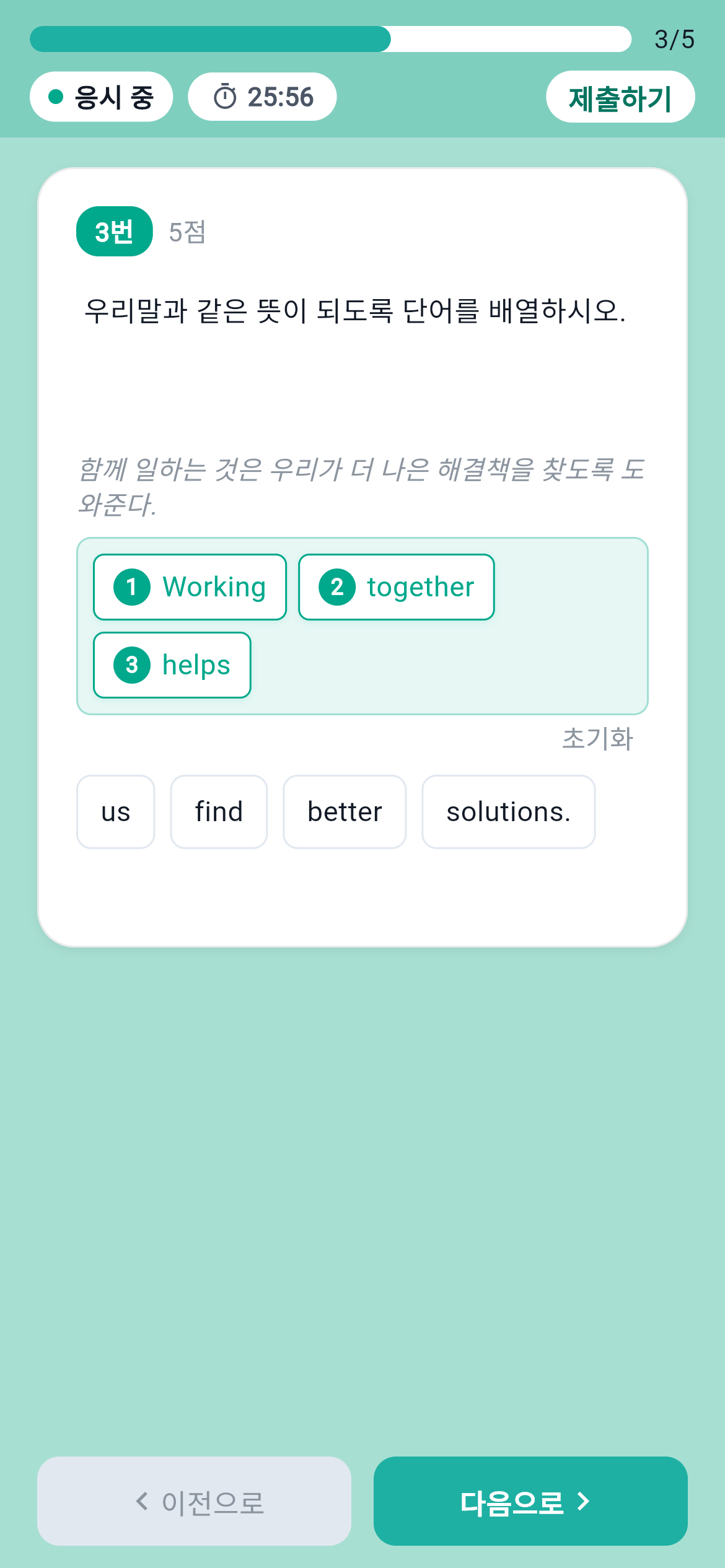
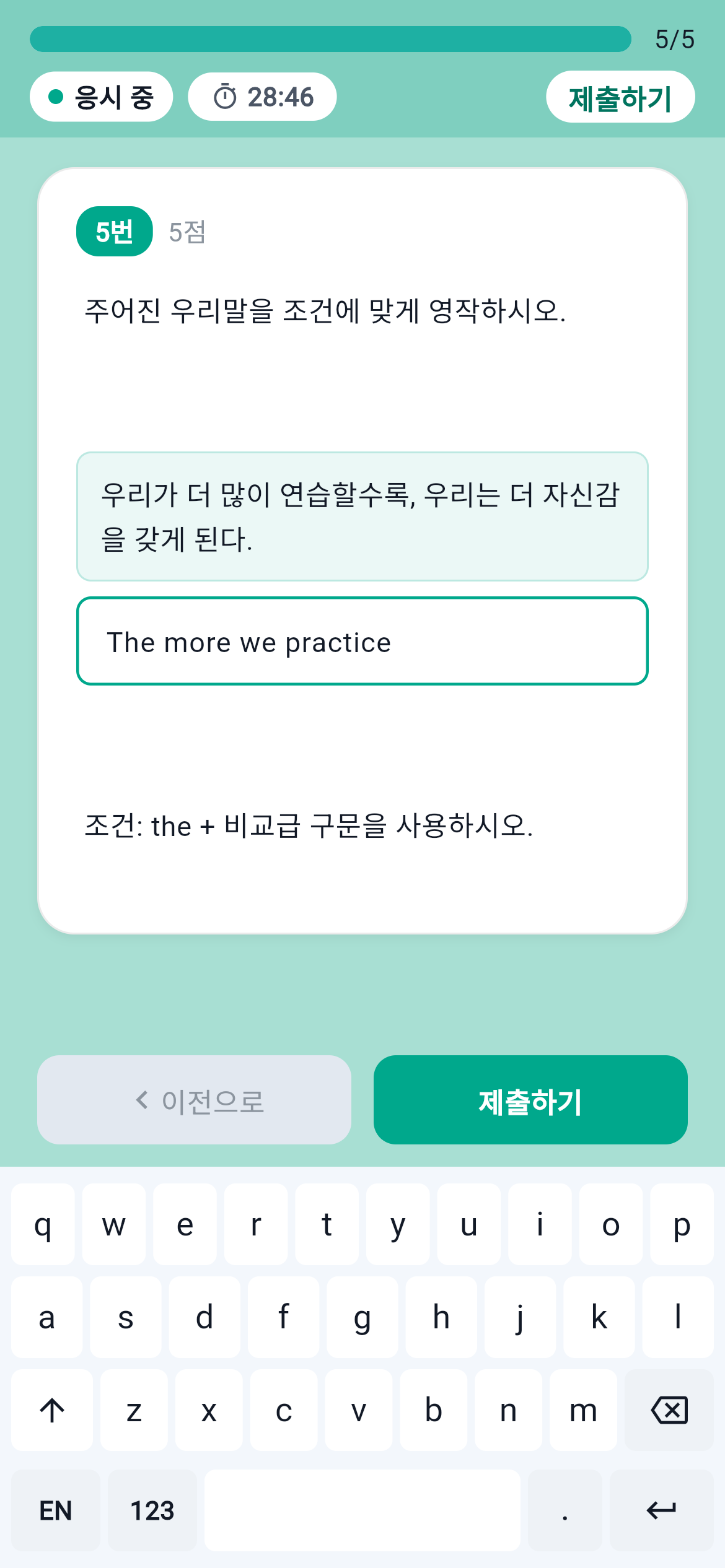
In addition to passage-based choice and fill-in questions, we built interfaces for sentence ordering, word ordering and written answers.
Scroll sideways to see other question types.
In the teacher console, instructors see scores, test time, answers and correctness for each question, alongside students’ review notes.
The same 4/6 result, incorrect answer to question 2 and past-tense review note appear together.
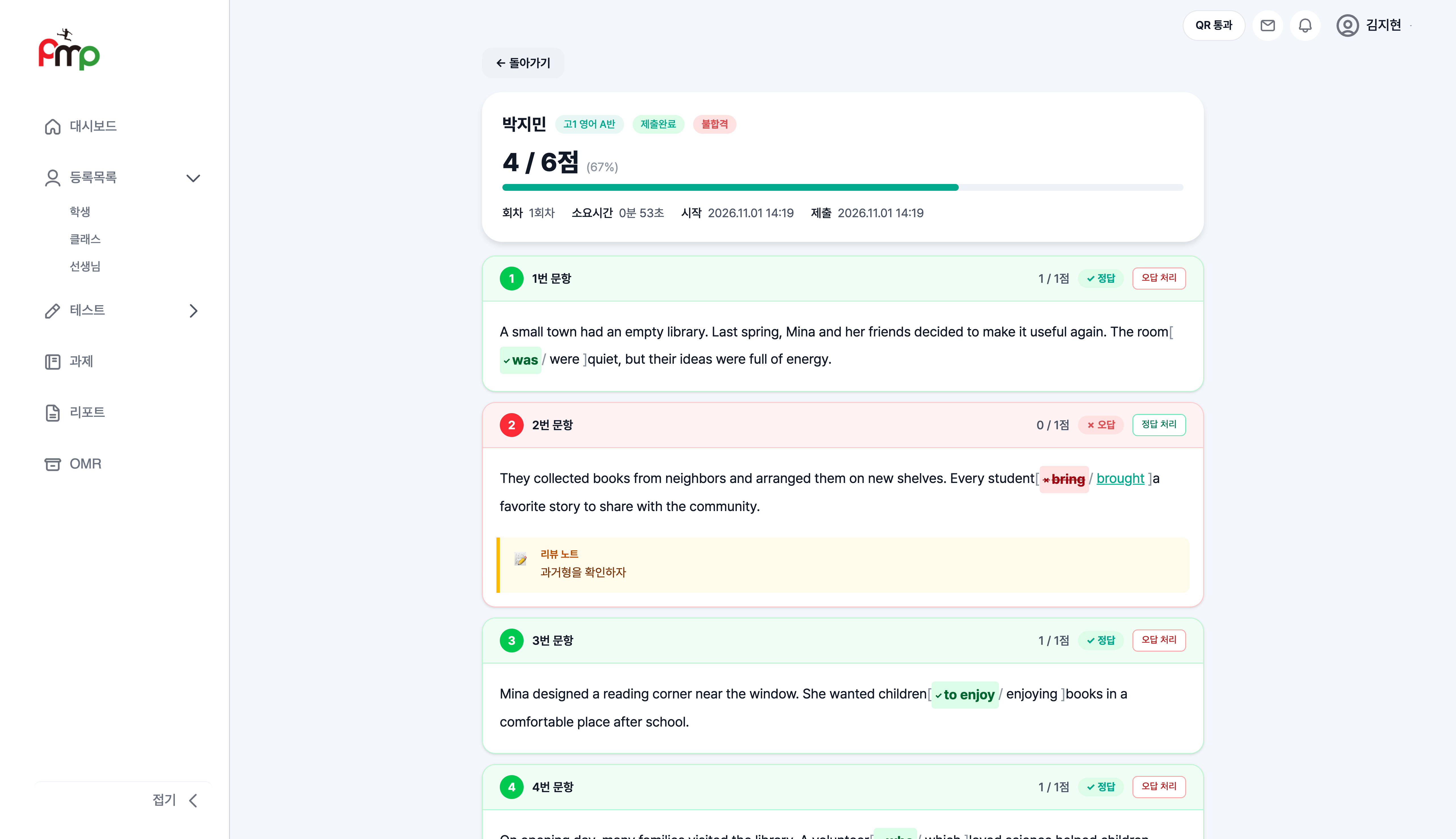 Enlarge screen
Beyond the main test flow, we built test sequences, vocabulary rotation and OMR support for paper exams.
Assign a sequence of tests and track each student’s progress.
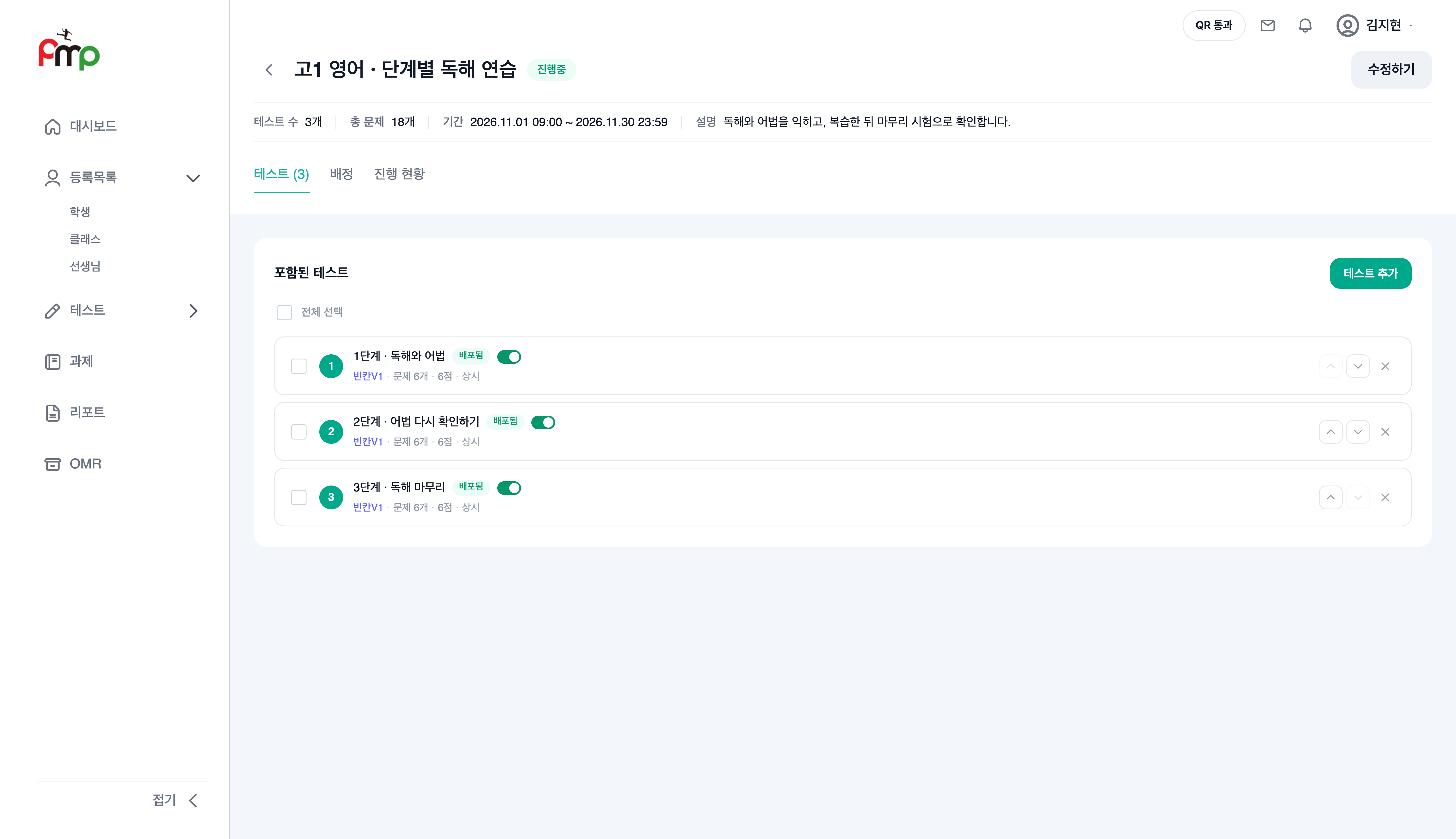 Enlarge screen
Set the vocabulary range and batch size, then alternate meaning and spelling tests.
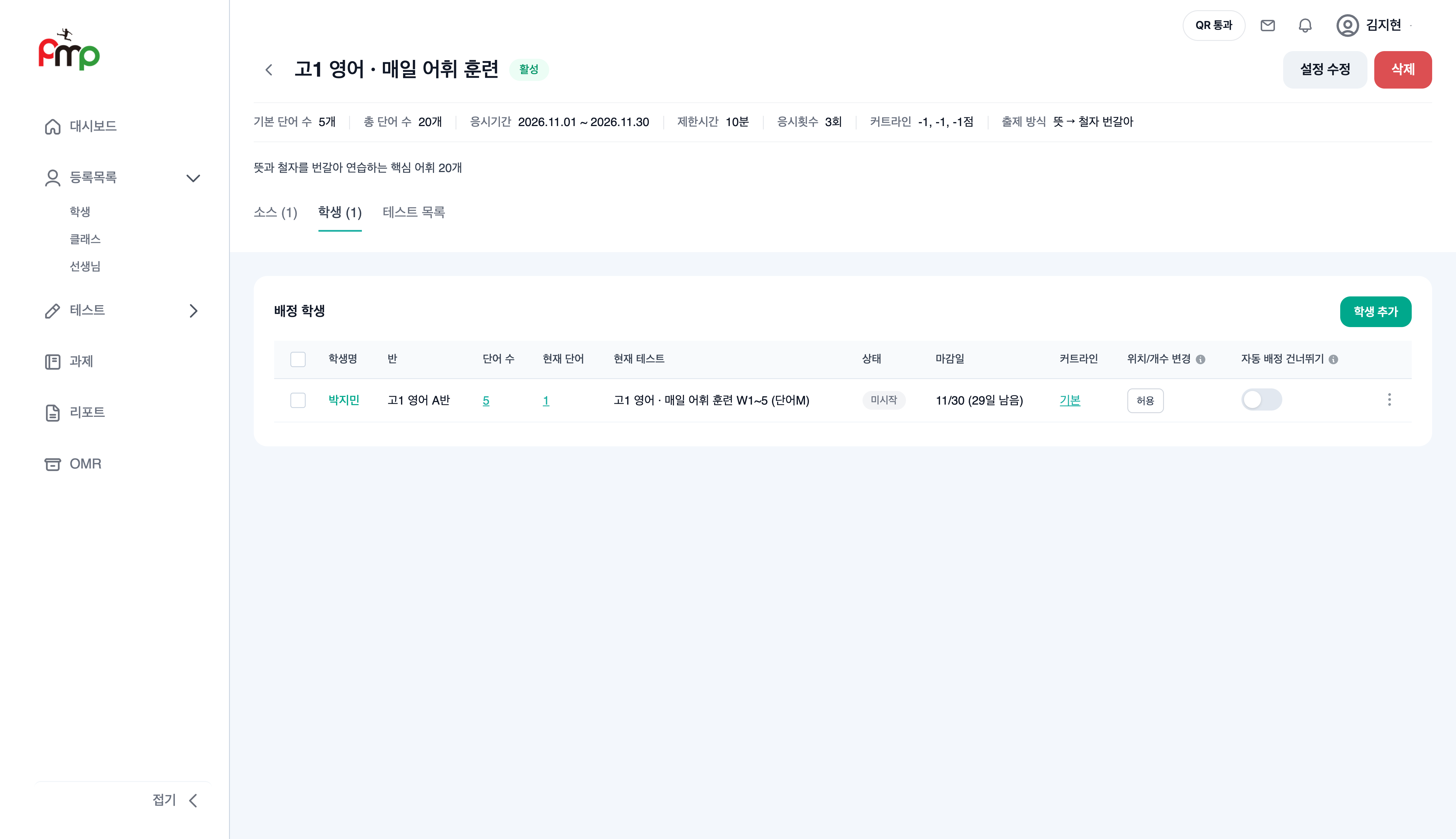 Enlarge screen
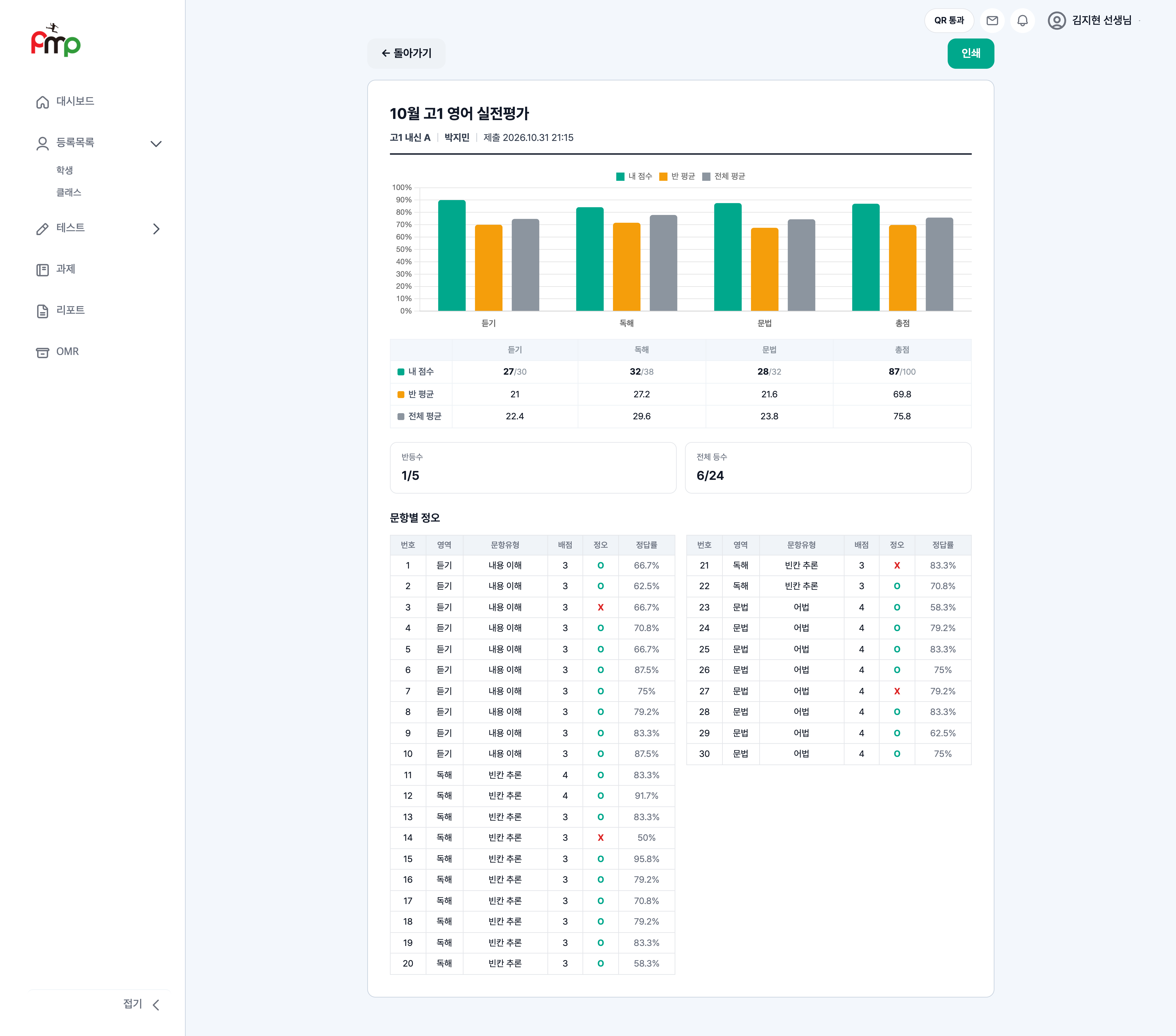
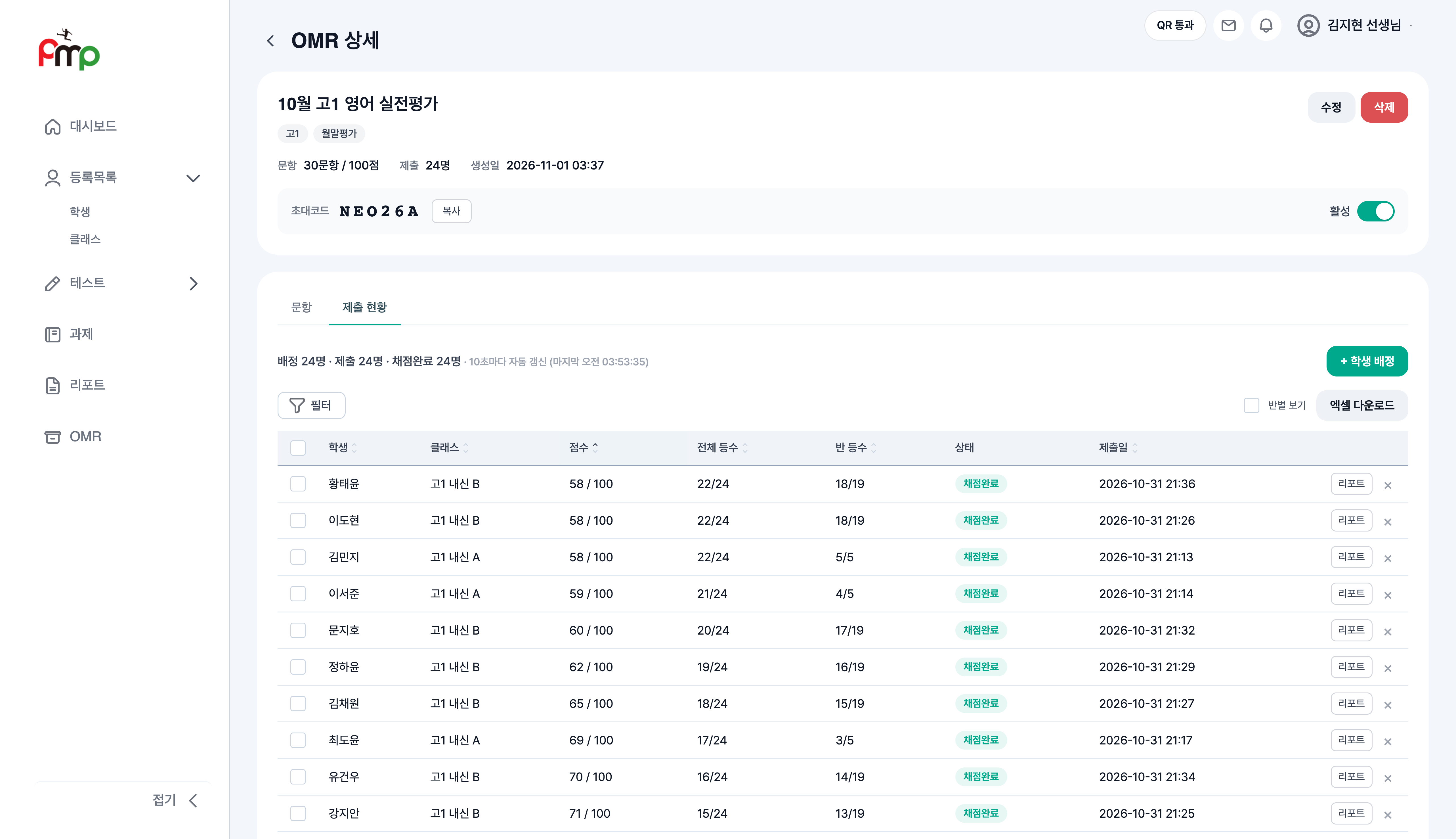
Students can submit answers in the app while taking a paper test. Teachers can review submissions, grading status and reports with category-level analysis.
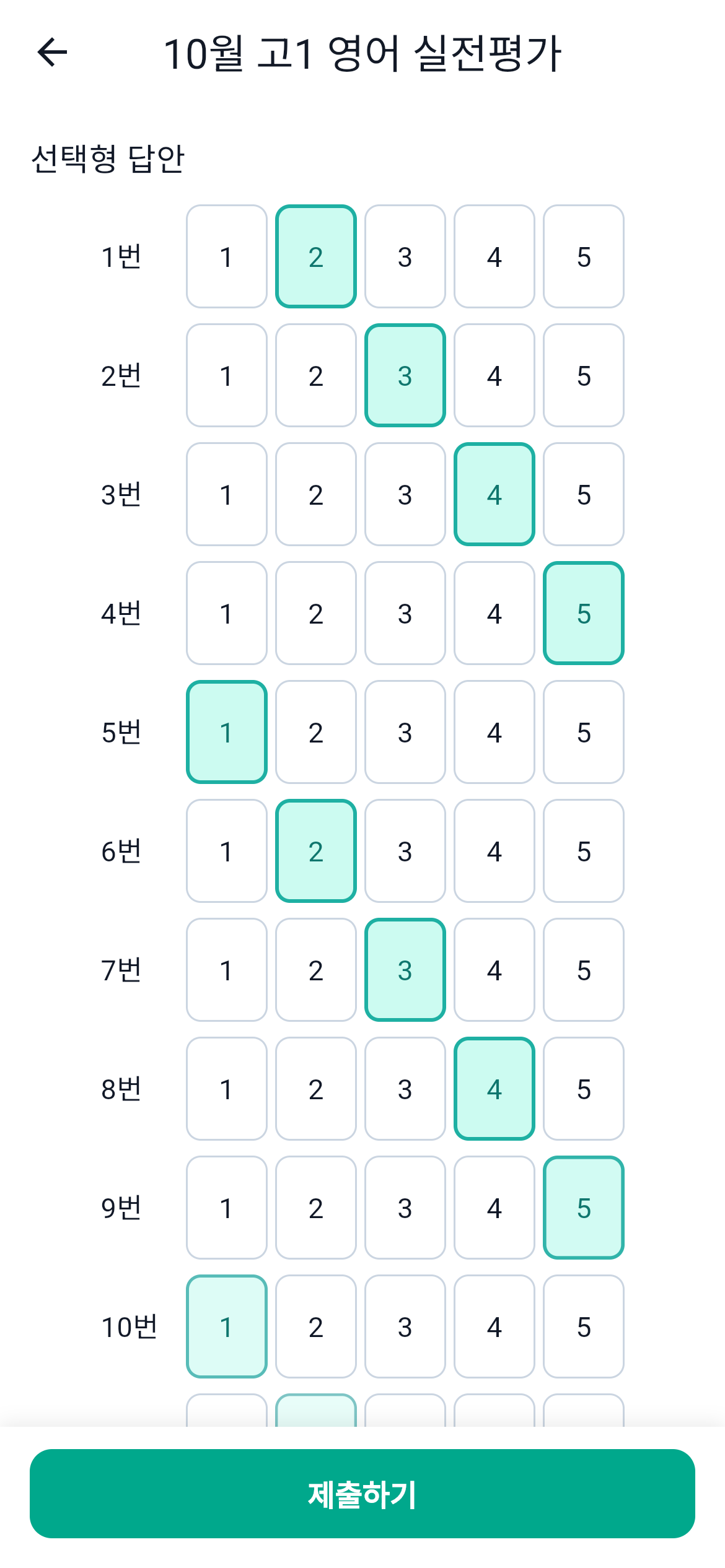 Enlarge screen
 Enlarge screen
The student app is available on the App Store and Google Play. The teacher web app and student app support the academy’s tests and homework.
We also built split-screen detection during tests, attendance management and report links for parents.
Tell us how you work today and what is difficult. We’ll help define the features you need.